







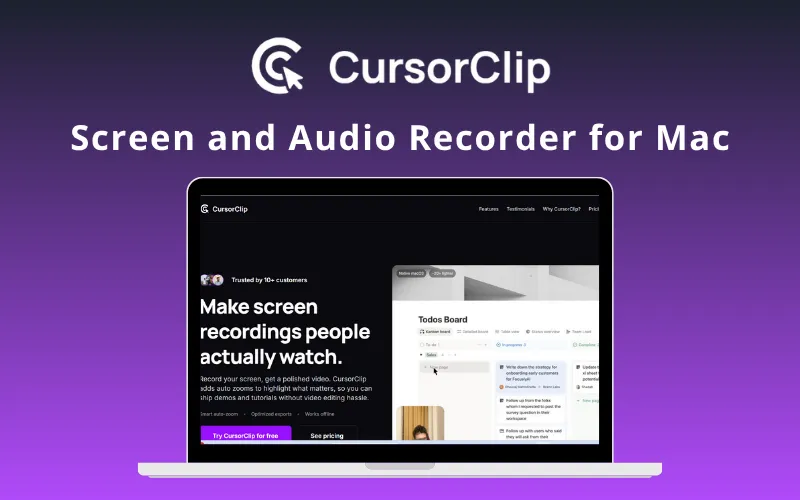
CursorClip – Screen Recorder App For Mac | Lifetime Access
Original price was: 82,71 $.50,31 $Current price is: 50,31 $.
Description

 |
Is your screen recording process slow and tedious? Not anymore with –
CursorClip – Screen and Audio Recorder for Mac
CursorClip is a native macOS screen recorder that automatically adds zoom & pan effects, making your demos & tutorials look cinematic, without editing.
It’s a powerful alternative to traditional screen recording tools, including:
Screen Studio
ScreenCharm
Camtasia
This Screen Recorder Includes:
Auto-zoom follows your cursor for engaging, focused videos
Camera capture alongside screen recording
Custom backgrounds for attention-grabbing demos
Optimised exports in MP4 & MOV up to 4K
Fully offline, lightweight, and private
How does CursorClip work?
You can easily record your screen with audio on your Mac device with these three easy steps:
Record:Capture your screen, audio, and mic with smart tracking.
Preview:Watch auto zoom and pan effects applied instantly.
Export:Unlock unlimited, watermark-free exports with a one-time purchase.
Try now!
Introduction of CursorClip:
Features of CursorClip:
Automatic Zoom + Pan:
Allows recording once & provides cinematic motion automatically
Helps highlight clicks, inputs, & active UI
Includes natural easing & speed for clarity
Provides ready-to-export videos with no editing
AutoZoom Follows Your Cursor:
Allows the video to automatically zoom wherever your cursor goes
Helps maintain focus on key actions
Provides more interactive & engaging content
Lorem ipsum dolor sit amet, consectetur adipiscing elit. Ut elit tellus, luctus nec ullamcorper mattis, pulvinar dapibus leo.
Lorem ipsum dolor sit amet, consectetur adipiscing elit. Ut elit tellus, luctus nec ullamcorper mattis, pulvinar dapibus leo.

You must be logged in to post a review.
Related products
-
Sale!
Nero – AI Screen Recorder Pro 2026 (Windows)| Annual Access
Original price was: 25,54 $.18,67 $Current price is: 18,67 $. Buy product -
EaseUS DupFiles Cleaner (1PC – Windows) | Lifetime Access
32,80 $ Buy product -
Scramble Cloud – Secure Cloud Storage | Lifetime Access
75,89 $ Buy product -
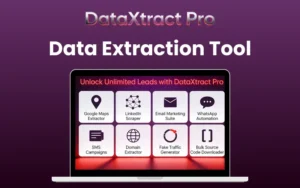
DataXtract Pro – Data Extraction Tool For Lead Generation | Lifetime Access
12,79 $ Buy product

Reviews
There are no reviews yet.