





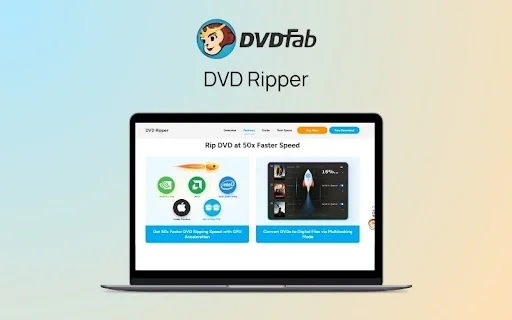
DVDFab – DVD Ripper | Lifetime Access
50,73 €
Description

 |
Do you have a vast collection of DVDs but struggle to enjoy them on modern devices? Here’s a tool that eliminates these barriers, letting you enjoy your DVDs anywhere. Meet –
DVDFab – DVD Ripper.
DVDFab DVD Ripper is a reliable software that allows users to convert DVD discs, folders, and ISO images to various digital formats on Windows and macOS.
This DVD Ripper can rip DVDs to over 1000 video and audio formats.
You can rip multiple DVDs in just minutes with advanced GPU acceleration and multitasking support.
This tool ensures lossless video and audio quality, making it ideal for home theaters.
It also features a built-in professional editor for customizing videos, including –
Trimming
Cropping
Adding subtitles and more.
You can upscale DVDs to stunning 4K HDR10 quality with innovative AI enhancements.
How To Convert DVD To MP4 With DVDFab:
Specifications:
Supported OS: Windows 11/10/8.1/8/7 (32/64 bit), macOS 10.10 – 14.x
Hardware Requirements: 2GB RAM, 20GB free disk space, DVD drive.
Input: DVD disc (2D & 3D),DVD folder,DVD ISO image file
Output: 3D Videos: 3D MKV.H.265, 3D MP4.H.265 3D MP4.4K, 3D MKV.4K, 3D AVI, 3D MP4, 3D WMV, 3D MKV, 3D M2TS, 3DTS2D Videos: H.265, MP4.4K, MKV.4K, MPEG-4, MP4 Passthrough, MKV Passthrough, MP4, FLV, MKV, AVI, WMV, M2TS, TS, etc.Audio: MP3, MP4, M4A, WMA/WMA10, WAV, AAC, DTS, OGG, PCM and AC-3/E-AC-3 5.1 etc., with up to 7.1 channels
Features of DVDFab – DVD Ripper:
Support for Multiple Formats and Devices
Allows you to rip any commercial or homemade DVD to over 260 preset devices. Also allows you to convert DVDs to more than 1,000 popular video and audio formats.
Fast and Batch Processing
Helps you speed up your workflow with advanced GPU acceleration and the ability to rip multiple DVDs simultaneously.
Lossless Video and Audio Output
Helps you preserve the highest quality with MKV.Passthrough video and 1:1 lossless 5.1 AC3 audio. Delivers home theater-level sound and visuals for an immersive experience.
Customizable Settings and Professional Video Editor
Helps you tailor your videos by adjusting resolution, bitrate, and other settings. The integrated video editor allows you to crop, merge, and add watermarks or subtitles.
Convert DVD Video to 4K HDR10
NVIDIA AI Enhancer helps to elevate your DVD videos to 4K HDR10 quality on Windows OS. It saves them in either MP4 or MKV format for a stunning viewing experience.
Advanced Subtitle Management
Helps to handle subtitles with ease by extracting them to IDX/Sub or SRT files. Or it renders them directly onto the video using DVDFab DVD Ripper.
Preview of DVDFab – DVD Ripper:
DVDFab Dashboard
Convert DVDs to Multiple Digital Formats
Processing Tasks
Video Formats Available with DVDFab
DVDFab Customer Testimonials:
I’ve had DVDFab for more than a decade and I love this program. It does everything as advertised. It’s easy to use and I find it even works on scratched and otherwise hard-to-read DVD’s. I also love that when they say Lifetime, the mean Lifetime. I have never upgraded, but they do and my old version works better than it did on day one.
Todd Myerscough
What I like the most is the new Nvidia AI Enhancer feature allowing me to convert SDR to HDR and upscale at the same time without taking forever to complete.
Works Great.
Mike
When I first got DVDFab it was in it’s infancy, but over the years it has gotten so much better with the advancing technology. I have NO complaints, it does exactly what needs to be done, the only down side is the price for a LIFETIME PLAN, they have other less expensive plans, but I HIGHLY recommend the LIFETIME PLAN. Because I can ONLY go back one year, I have been using DVDFab since 2003 just FYI…!!!
Gary Ruiz
Previous
Next
Deal Terms:
How to download/activate this product?
After completing your purchase, you will receive an instructions document. Follow the instructions in this document to redeem the coupon code and get access to this product.
What is the validity of the license key/coupon code? (Within how many days must the coupon code be redeemed?)
The coupon code must be redeemed within 30 days from the date of purchase.
Do you get Lifetime Access to this deal?
Yes, this deal gives you lifetime access to DVDFab.
Lifetime means the lifetime of the product.
We try to get great products that last for our customers, but products do get acquired, or sometimes the products go bankrupt. Many of these products are startup companies, giving us a great deal for our customers. But in case of an unfortunate situation where the product does not last long, there is not much DealFuel can do about it.
Are Lifetime Updates available for this product?
Yes, Lifetime updates are available for this product.
Is support available for this product?
Yes, support is available for this product.
For support, go to – https://www.dvdfab.cn/contact.htm.
Is this deal for new users only?
No, this deal is available for both new and existing users of DVDFab.
How many users can use the license key/coupon code?
1 coupon code can be used for 1 user/account.
Are the coupon codes stackable?
No, the coupon codes are stackable.
Can this product be accessed on all devices?
No, DVDFab is accessible only on Desktop.
What are the system requirements?
The system requirements are:
FOR WINDOWS:
Windows 11/10/8.1/8/7 (32/64 bit)
Pentium 500 MHz
2GB of RAM
20GB of free hard disk space
A DVD-R (W) or DVD + R (W) Drive
A live Internet connection is required to register DVDFab (little network traffic used)
FOR MAC:
macOS 10.10 – 14.x
Intel® processor
2GB RAM or above
20GB of free hard disk space
A DVD drive
A live Internet connection is required to register DVDFab (little network traffic used)

You must be logged in to post a review.
Related products
-
Sale!
Nero – AI Video Upscaler Pro | Lifetime Access
Original price was: 166,28 €.118,53 €Current price is: 118,53 €. Buy product -
Sale!
YouTube Video Downloader For Mac | Lifetime Access
Original price was: 33,26 €.8,53 €Current price is: 8,53 €. Buy product -
CoHarmonify – AI Audiobook Creator & Publishing Tool | Lifetime Access
57,13 € Buy product -
Sale!
RecCloud AI – AI Video Editor | Annual Access
Original price was: 110,00 €.50,31 €Current price is: 50,31 €. Buy product

Reviews
There are no reviews yet.