






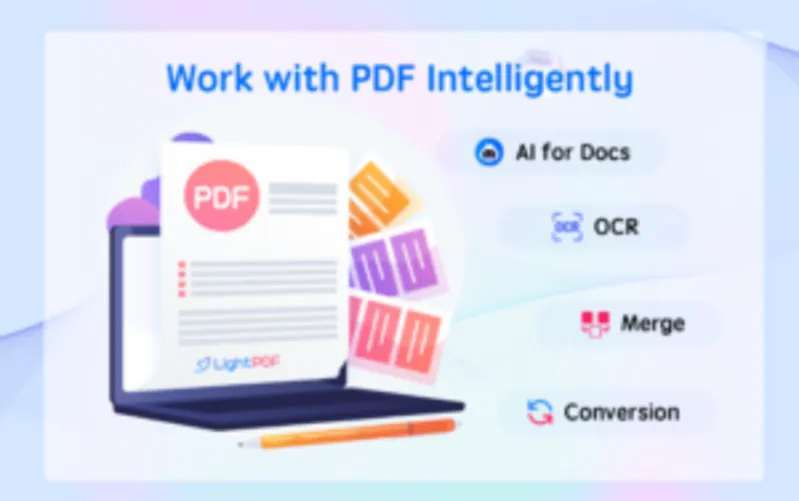
LightPDF – All-In-One AI PDF Tool | Lifetime Access
Original price was: 93,79 $.68,21 $Current price is: 68,21 $.
Description

 |
Whether you’re a student juggling assignments, pro-hustling deadlines, or just someone wanting to streamline their digital life, you can do that with –
LightPDF – All-In-One AI PDF Tools Suite
LightPDF – All-In-One AI PDF Tools Suite provides 24 online tools to read, convert, OCR, edit PDFs, and even talk to PDFs with an AI chatbot.
This tool provides web apps for multiple platforms, Windows, Android, and iOS versions, which includes PDF conversion, editing, page management, OCR, signature, compression, security, and more.
Additionally, it provides API services and a desktop PDF editor to help personal as well as business groups to improve productivity.
LightPDF – PDF Editor For Windows Specifications:
Compatible with: Windows, Web, Android and iOS
Multi-File Formats Supported: PDF, Word, Excel, PowerPoint, JPG, PNG, URL, TXT, even scanned files etc.
Multi-Language Support: 20+ lanugages
API service of multiple PDF features available
Features of LightPDF – AI PDF Tools Suite:
PDF Watermark
It Allows you to add a watermark to your PDF files.
Enables you to erase an existing watermark from your PDF files.
Provides the option to white out a specific section in your PDF files.
PDF AI Chatbot
It Allows you to ask questions to the chatbot about your files, quickly output results in markdown and table format, and allows you to chat with PDFs, Scans, URL links, Excel, Word, PPT and ePub Documents.
PDF Converter
It allows you to convert PDF to Word, JPG, PNG, Excel, PPT, and TXT, as well as turn Word, PPT, Excel, JPG, PNG, and CAD formats to PDF
PDF OCR Technology
It offers OCR technology to recognize and extract texts from images and PDF scans, and turn them into docx, xlsx, pptx, pdf, and txt formats
Cloud-Based PDF Editor
It allows you to edit, sign and add imges to a PDF file
Edit, sign, and add images to a PDF file
Highlight, draw markups, and insert notes into PDF
Protect and unlock PDF documents
Add text and image watermarks to a PDF
Compress PDF files with a few clicks
Merge multiple PDF documents into one
Extract PDF pages
PDF Reader
Read PDFs, add bookmarks, search and annotate
Print PDFs directly from your devices
Auto-sync PDFs in order to work with PDFs on the go. No more worry about losing data
New Way for Teamwork
It allows you to share files via links with your team and invite multiple people to view, edit, highlight, sign, and add comments on the same PDF at the same time
Set permissions to keep PDF security under control
Upload the file to the cloud, and access it on any device
Star files as favorites to quickly find and open them
Highlights of LightPDF – All-In-One PDF Tool:
Multi-platform support: Windows, web, Android, and iOS
AI-powered chatbot for summary and analysis
Seamless recognition of scanned files in editing or AI for Docs
Centralized hub for all your PDF needs
Effortless sharing and collaborative capabilities
Simple and intuitive PDF signing and editing
Unwavering security and reliability
Optimized and streamlined workflow
Enhance productivity through teamwork
Accessible 24/7 customer service”
LightPDF – 40000 Credit usage Instructions:
PDF Tools –
OCR – One successful processing consumes 1 credit
Batch Splitting – One successful processing consumes 1 credit
PDF to Word -One successful processing consumes 1 credit
Image to PDF – One successful processing consumes 1 credit
Files to PDF -One successful processing consumes 1 credit
PDF Translation:
50 credits/page
AI Chat:
Basic 3.5 – first 9000 questions free, 1 credit/question after
Advanced-4 – 25 credits/question
AI Summarizer:
4 credits/file
AI Analysis:
4 credits/file
AI Create Mindmaps:
4 credits/file
Note: Once your credits run out, the following features cannot be accessed:
AI for Docs – Basic 3.5
AI for Docs – Advanced 4
OCR
Batch Splitting
PDF to Word
Image to PDF
File to PDF
Target Audience of LightPDF – AI PDF Tools Suite:
Students and educators
Researchers and academics
Lawyers
Businessmen
Office workers
Analysts
Preview of LightPDF – AI PDF Tools Suite:
LightPDF Reviews
” Light pdf is very friendly and easy to use application. Pdf working is best here. The most best thing about it is OCR function. It accurately recognizes words from image. The user friendly interface is the best part here with no hassle. Also with great other options like file conversion makes playing with any of the file format. A must have application for personal or business. ”
Dinesh Rijal
Deal Terms
How to download this product?
After completing your purchase you will receive an instructions document.
Follow the instructions in this document to download the product and activate the subscription.
What is the validity of the license key/coupon code?
The coupon code must be redeemed within 30 days from the date of purchase.
Is Lifetime Access available for this product?
Yes, Lifetime Access is available with LightPDF
Lifetime means the lifetime of the product.
We try to get great products with longevity for our customers, but products do get acquired, or sometimes, the products go bankrupt. Many of these products are startup companies, giving us a great deal for our customers. But in an unfortunate situation where the product does not last long, there is not much DealFuel can do about it..
Are updates available for this product?
Yes, updates are available for this product.
Is this deal for new users only?
No, this deal is for both new and existing users of LightPDF.
How many users can use the license key/coupon code?
1 Coupon Code can be used for 1 plan.
Are the coupon codes stackable?
Yes, the coupon codes are stackable.
What are the system requirements for this product?
The system required for this product is Windows 7/8/10, Mac 10.13, and above.
Can this product be accessed on all devices?
Yes, this product can be accessed on all devices.
Is support available for this product?
Yes, FREE support is available for Lifetime. For support, contact -support@apowersoft.com

You must be logged in to post a review.
Related products
-
Ashdeck – Focus Timer & Website Blocker | Lifetime Access
5,12 $ Buy product -
Sale!
GoReportly – JSON To PDF API | Annual Access
Original price was: 85,26 $.42,63 $Current price is: 42,63 $. Buy product -
Sale!
CleanTwin AI – Duplicate File Finder For Mac | Lifetime Access
Original price was: 17,05 $.8,52 $Current price is: 8,52 $. Buy product -
Sale!
N8Nitro – Self Hosted n8n Platform | Lifetime Access
Original price was: 1.023,24 $.187,59 $Current price is: 187,59 $. Buy product

Reviews
There are no reviews yet.