








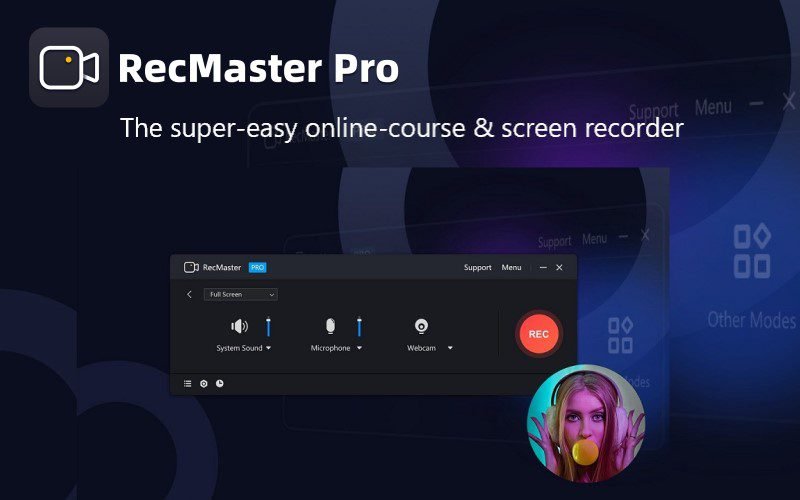
RecMaster – Online Course & Screen Recorder | Lifetime Access
Original price was: 25,54 $.21,27 $Current price is: 21,27 $.
Description

 |
Do you hope to record videos in one click with the best settings? Now you can! Recording every moment on your computer screen is now as simple as one click with –
RecMaster – Best Screen Recorder For PC
RecMaster is a small and straightforward gameplay recorder, screen recorder, program recorder, and audio recorder.
This easy-to-use screen recorder captures HD/4K videos with the highest quality and smallest file size possible, with no complicated parameters or settings required. The menu options make it simple to set advanced parameters.
Overview of RecMaster – Best Screen Recorder
Features of RecMaster – Screen Recording Tool
There are seven recording modes available IN RecMaster:
1. Full-screen Mode,
2. Custom Area,
3. Game Mode,
4. Program Window,
5. Follow Cursor,
6. Webcam Recording, and
7. Audio-only Mode.
Perform operations with key combinations without having to launch the software interface using Hotkeys
Record screen to capture super-wide or specific screens with multi-screen recordings.
Record screens with or without the system’s audio, microphone, and camera
Set recordings to start and/or end automatically and save in segments using auto-recording
Record Games with FPS Benchmarks. The FPS will not be recorded in the video
Get clearer audio with Microphone gain, system sound gain, and Mic noise reduction
Display precisely what you want with Keystrokes, cursor effects, paintbrush tools with markers and highlighters
Protect your copyright and create unique videos with watermark, timestamps, texts and images
Preview Of RecMaster Screen Recorder:
RecMaster Dashboard:
Full-Screen Mode
Game Mode:
Easy-To-Use Screen Recorder
Hotkeys Settings:
Cursor Settings:
Edit Pannel of RecMaster:
Save and Export Files:
RecMaster – Screen Recorder Reviews:
Robert C. Business owner Read More
I would definitely recommend this software to anybody who wants to do any type of video editing or if they want to use it to do screen capture.
I was searching for something simple and was skeptical at first. I had tested out some other software that was difficult to use and then I came across this product and surprisingly it was really easy to use. The controls and the layout made it easy to navigate.
Everest A. Bible Teacher Read More
Love it! Does exactly what I bought it for without complication or stress. Easy to use. Not complicated. Gets the job done! Simple to understand. Easy to deploy. A Baby Boomer’s dream to operate!
Paul V. rAssistant Director Read More
Easy to use – Efficient – Best customer service ever.
Software was easy to install, easy to learn, and the one issue I did have was responded to almost immediately by customer service.
Veronika M. Customer Support Read More
The most used feature for me is this Screen recorder. The best product on the market. The best quality and very easy to control. I use it everytime I have an important thing to record and keep only the important parts of the recording. Another great thing is their customer and technical support. My computer was broken and I lost everything. I asked them to give me new license so I can work again with this recorder. The response along with the new license came very quickly on my email and I did not miss anything because of it!
How easy it is to use it, pause it, edit it and most important save it. Plus the customer and technical support are top quality with fast reply.
Annalise S. Founder Read More
I have used RecMaster to record lectures, webinars, and other presentations. Each recording occurs smoothly, and the software is so easy to use and easy to start and stop recordings. Furthermore, the customer service has been excellent each time I have had to request help. When I needed to reinstall the software after a hard drive failure, they helped me by resetting my user license to allow for the installation. Each representative I spoke with whenever I needed assistance was very polite and worked promptly to assist me.
Very simple interface and easy to use the features. There is very little room for confusion, the software is straightforward and very quick to learn its functions. There are many different options to allow for customization of the recording.
Previous
Next
Deal Terms:
How to download/activate this product?
After completing your purchase, you will receive an instructions document. Follow the instructions in this document to redeem the coupon code and activate your subscription.
What is the validity of the license key/coupon code? (Within how many days the coupon code must be redeemed?)
The coupon code must be redeemed within 30 days from the date of purchase.
Is a Lifetime Subscription available for this product?
Yes, a Lifetime Subscription is available for this product.
Lifetime means the lifetime of the product.
We try to get great products with longevity for our customers, but products do get acquired, or sometimes the products go bankrupt. Many of these products are startup companies, giving us a great deal for our customers. But in case of an unfortunate situation where the product does not last long, there is not much DealFuel can do about it.
Are Lifetime Updates available for this product?
Yes, Lifetime Updates are available for this product.
Are these updates available for FREE or PAID?
All updates on RecMaster are available for FREE.
How to receive updates?
There are three ways to get the latest version.
1. Launch RecMaster>> Go to Menu>> About>> Check for Updates
2. Download from the official website: www.recmaster.net
3. Contact support@recmaster.com for the latest version.”
Is lifetime support available for this product?
Yes, lifetime support is available for this product
For support contact – support@recmaster.net
Is support available for FREE or PAID?Yes,support is available for FREE.
Is this deal for new users only?
No, exsisting users of RecMaster can also purchase this product.
How many users can use the license key/coupon code?
1 coupon code can be used for 1 user/account.
Are the coupon codes stackable?
No, the coupon codes are not stackable.
What are the system requirements for this product?
System Requirements & Compatibility with Devices:
Supported OS: Windows 7, Windows 8(.1) , Windows 10, and Windows 11, both 32-bit and 64-bit versions included.
Processor: 1 GHz Intel® / AMD® processor or above.
RAM: 1GB RAM (2GB or above is recommended).
Hard Disk Space: 200MB of hard-disk space for installation.”
Can this product be accessed on all devices?
No, this product can only be accessed on Windows installed with Windows Version 7,8,8.1,10,11.

You must be logged in to post a review.
Related products
-
Sale!

Shock VPN – Best VPN For Privacy | 5-Year Subscription
Original price was: 153,49 $.42,63 $Current price is: 42,63 $. Buy product -
Sale!

AI Chief Of Staff Prompts – Leadership Prompts Bundle | Lifetime Access
Original price was: 254,96 $.23,02 $Current price is: 23,02 $. Buy product -
Sale!
OnzAuth – Passwordless Authentication Platform | Lifetime Access
Original price was: 409,30 $.169,69 $Current price is: 169,69 $. Buy product -
Scramble Cloud – Secure Cloud Storage | Lifetime Access
75,89 $ Buy product

1 review for RecMaster – Online Course & Screen Recorder | Lifetime Access
There are no reviews yet.